Cryptowatch alternative: where to watch many exchanges at once now Cryptowatch is gone
Cryptowatch, the charting site at cryptowat.ch, closed on 30 September 2023. Kraken, which owned it, moved its users to Kraken Pro, and that only shows Kraken. If you used Cryptowatch to keep an eye on several exchanges at once, TabMira does that for free, across 79 of them.
What happened to Cryptowatch
Cryptowatch was a charting and trading site for crypto markets. Its draw was that it was not tied to one exchange: you could put markets from many exchanges on one screen, with live charts and order books, on the web, as a desktop app or on your phone. Kraken bought it in 2017.
On 31 July 2023 Kraken announced that Cryptowatch would sunset so it could put its effort into Kraken's own products. New and existing subscriptions stopped on 1 August 2023. On 30 September 2023 the web site, the desktop app and the mobile app were switched off, and with them Cryptowatch Social and the Cryptowatch API. Kraken said it would refund unused purchased credit after that date. Today cryptowat.ch forwards to kraken.com.
If you only traded on Kraken
Then Kraken's own replacements are the natural place to go. Kraken Pro has a Terminal preset that lays the screen out like Cryptowatch did, with spot, margin and futures trading. In October 2024 Kraken released Kraken Desktop, a downloadable trading app for Windows, Mac and Linux that it says builds on Cryptowatch. Both show and trade Kraken's markets and nothing else. That is the gap TabMira fills: the other exchanges.
Moving over from Cryptowatch
- If you ever connected exchange API keys to Cryptowatch, delete them. Sign in to each exchange, open its API management page and remove any key you made for Cryptowatch. A key stays valid until you remove it, even though the site that used it is gone.
- Open tabmira.com or install the Android app. On iPhone, open the site in Safari and choose Add to Home Screen. There is nothing to sign up for.
- Rebuild your watchlist: search a symbol once and TabMira lists it on every exchange that trades it, so BTC/USD on Kraken, BTC/USDT on Binance and BTC/USD on Coinbase can sit on one list.
- Open a pair for its chart with the exchange's order book and trades beside it. Hold a finger on the chart at a price to set an alert there, or use the Alerts tab.
- To see balances or trade, make an API key on the exchange without withdrawal rights and add it in the Portfolio tab.
What TabMira covers
Many exchanges on one screen
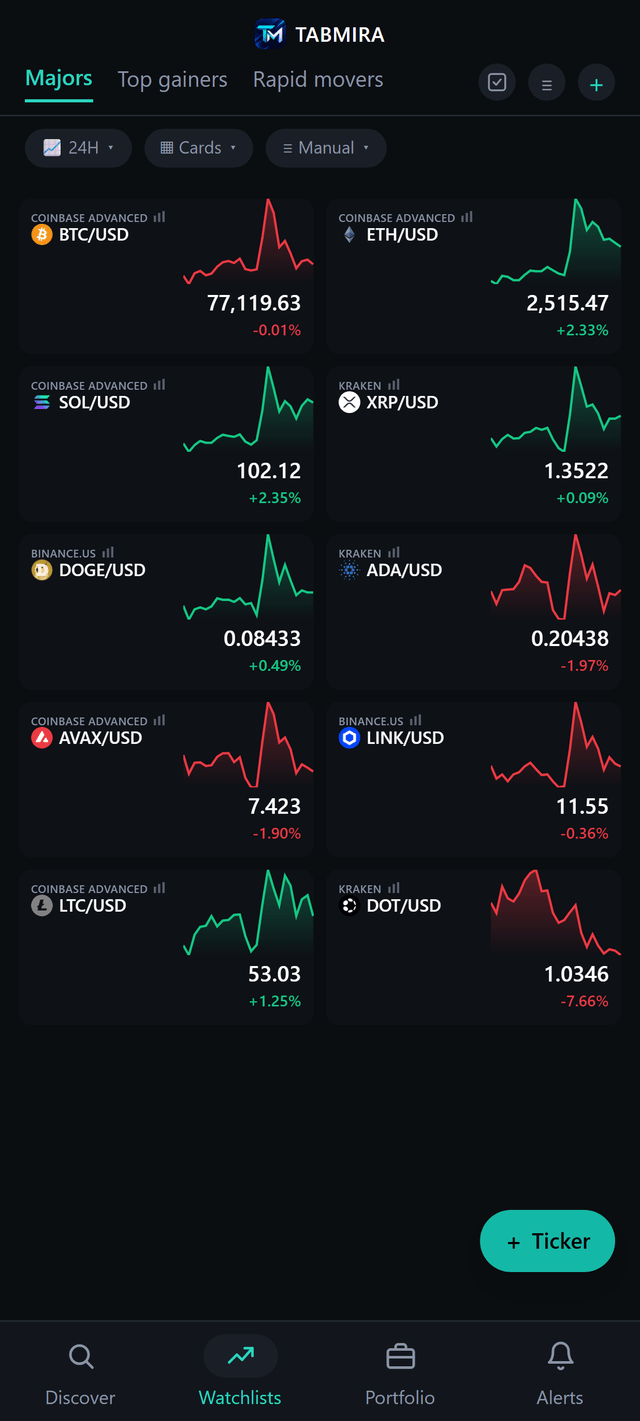
A watchlist mixes pairs from any of 79 exchanges, spot and futures, each with a live price, 24h change and a sparkline. Tap a pair for a full chart with that exchange's order book depth and live trades beside it, from one-minute candles to monthly ones. EMA, SMA, Bollinger Bands, RSI, MACD, volume profile and more with no cap per chart, TradingView community scripts from the indicator shelf, and trendlines, levels and Fibonacci saved on the pair. Discover ranks gainers, losers and the most traded markets across every exchange at once. Every exchange, with what works on each.
Alerts
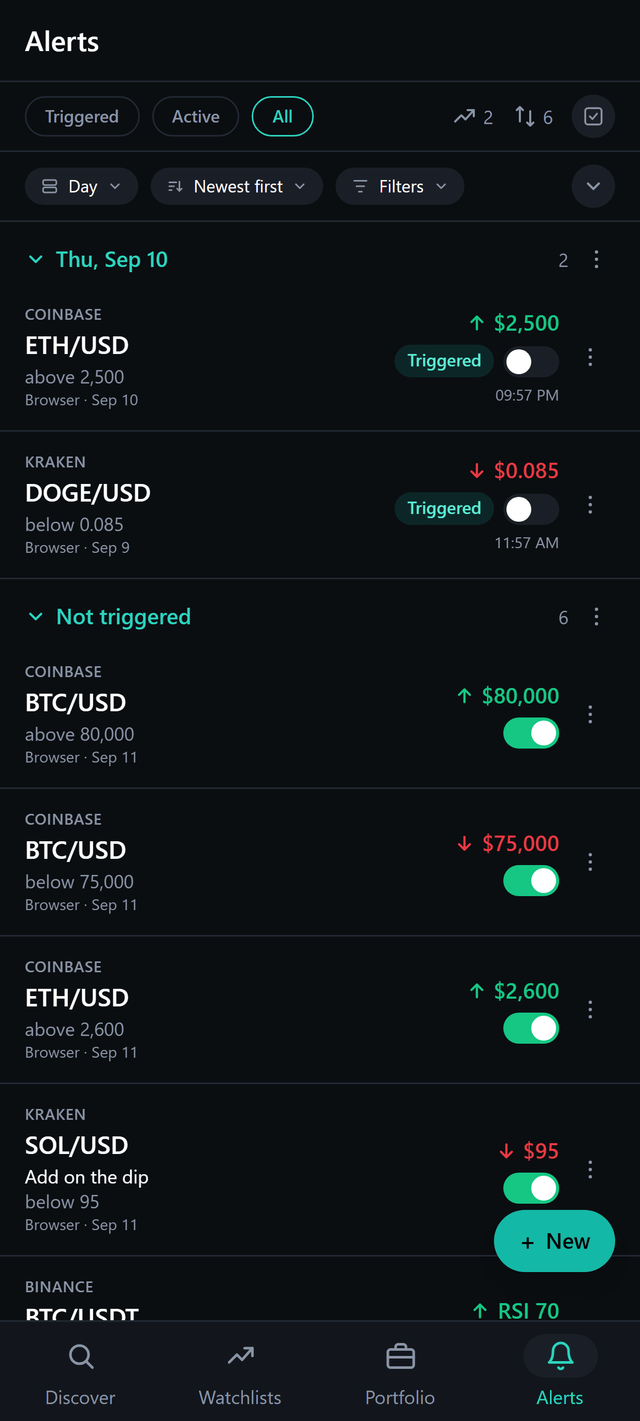
Price, percent move, RSI and time alerts on any pair on any exchange, up to 1,000 at once, sent as push notifications on Android, iPhone and the web. They are checked on the server against that exchange's own price, so they fire with the app closed.
Trading from your own keys
Limit and market orders on Coinbase Advanced and Binance, and on 22 more exchanges in beta, among them Kraken, Bybit, OKX, Binance.US, Bitget, KuCoin, Gate.io, MEXC, HTX and Bitfinex. Beta means the order code is tested but no real order had gone through it when it shipped, and the app labels it so. Keys are encrypted on your device and never sent to TabMira servers. Which exchanges trade, and how. Where your keys go.
What TabMira does not do
- No public market data API. If you pulled prices from the Cryptowatch API, it is no help there.
- No chat or social feed.
- No take profit or stop loss on an order, and no trading bots.
- No Pine editor and no backtests: TradingView scripts run only when they convert.
- No native iPhone app yet: on iPhone it installs from Safari with Add to Home Screen.
Cryptowatch vs TabMira side by side
| Feature | Cryptowatch | TabMira |
|---|---|---|
| Status | Closed 30 September 2023 | Live, in active development |
| Price | Free charts, with paid subscriptions and credits | Free, no ads, no tiers |
| Exchanges | Many, Kraken among them | 79, spot and futures |
| Order book beside the chart | Yes | Yes |
| Trading | Yes | Coinbase Advanced and Binance, plus 22 more in beta |
| Market data API | Yes, the Cryptowatch API | No |
| Chat | Cryptowatch Social | No |
| Platforms | Web, desktop and mobile apps | Web, Android, iPhone (Add to Home Screen) |
Cryptowatch's column describes it as it stood when it closed, from Kraken's notice.
Questions
What happened to Cryptowatch?
Kraken, which bought Cryptowatch in 2017, announced on 31 July 2023 that it was closing it to focus on Kraken's own products. Subscriptions stopped on 1 August 2023, and Cryptowatch Web, Desktop and Mobile were switched off on 30 September 2023, along with Cryptowatch Social and the Cryptowatch API.
Where did Kraken send Cryptowatch users?
To Kraken Pro, its advanced trading screen, which has a Terminal preset laid out like Cryptowatch. In October 2024 Kraken also released Kraken Desktop, a downloadable trading app it says builds on Cryptowatch. Both show and trade Kraken markets only.
Does cryptowat.ch still work?
No. The address now forwards to kraken.com.
Is there a free alternative that shows many exchanges like Cryptowatch did?
TabMira is one. It charts 79 exchanges, with each exchange's order book and trades beside the chart, puts pairs from different exchanges on one watchlist, and sends up to 1,000 price alerts as push notifications. It is free, with no ads and no account needed.
Does TabMira have a market data API like the Cryptowatch API?
No. TabMira is an app for people, and it has no public API. If you used the Cryptowatch API for data, look at the exchanges' own APIs or a market data provider.
Can I trade on Kraken from TabMira?
Yes, with an API key from your Kraken account. Kraken is marked Beta in the app. The Android and iPhone apps send orders straight to Kraken; in a browser they go through a small relay you deploy in your own Cloudflare account, because Kraken refuses signed requests from web pages. If you only ever traded on Kraken, Kraken Pro does more for that one exchange.