TabTrader alternative: where to go now that TabTrader has shut down
TabTrader went offline on 21 August 2026. The website, the Android and iOS apps and the company's social accounts disappeared the same day, and the watchlists, alerts, layouts and exchange connections people had built up over years went with them. If you used it to keep an eye on a few dozen pairs across several exchanges, TabMira is built for the same job, and it is free.
What happened to TabTrader
TabTrader was a mobile crypto terminal from Amsterdam, around since 2013, with a million or so installs. It let you connect a few dozen exchanges, keep watchlists across them, chart with indicators, set price alerts and place orders from your API keys. A free tier with ads sat under a PRO subscription that lifted the limits on watchlists, alerts and indicators. In June 2026 it shipped TabTrader 2.0 with a web app and new charting.
On 21 August 2026 it stopped. Paid subscribers got an email roughly two hours before, offering refunds. Then the DNS records for tabtrader.com were removed, the apps were pulled from the stores and the social accounts were deleted. No reason has been given. Anything stored on TabTrader's side, which was all of it, is gone.
What TabTrader users are looking for
Reading what people wrote after the shutdown, what they miss is not any one feature. It is that the app was light and fast, and let them flick through a lot of charts on a lot of exchanges without waiting. TradingView charts better but is heavy and mostly one pair at a time. Exchange apps only show their own markets. TabMira was built from that same complaint: it is a terminal for people who watch more than one exchange, and the whole thing is tuned around opening the next chart quickly.
Watchlists
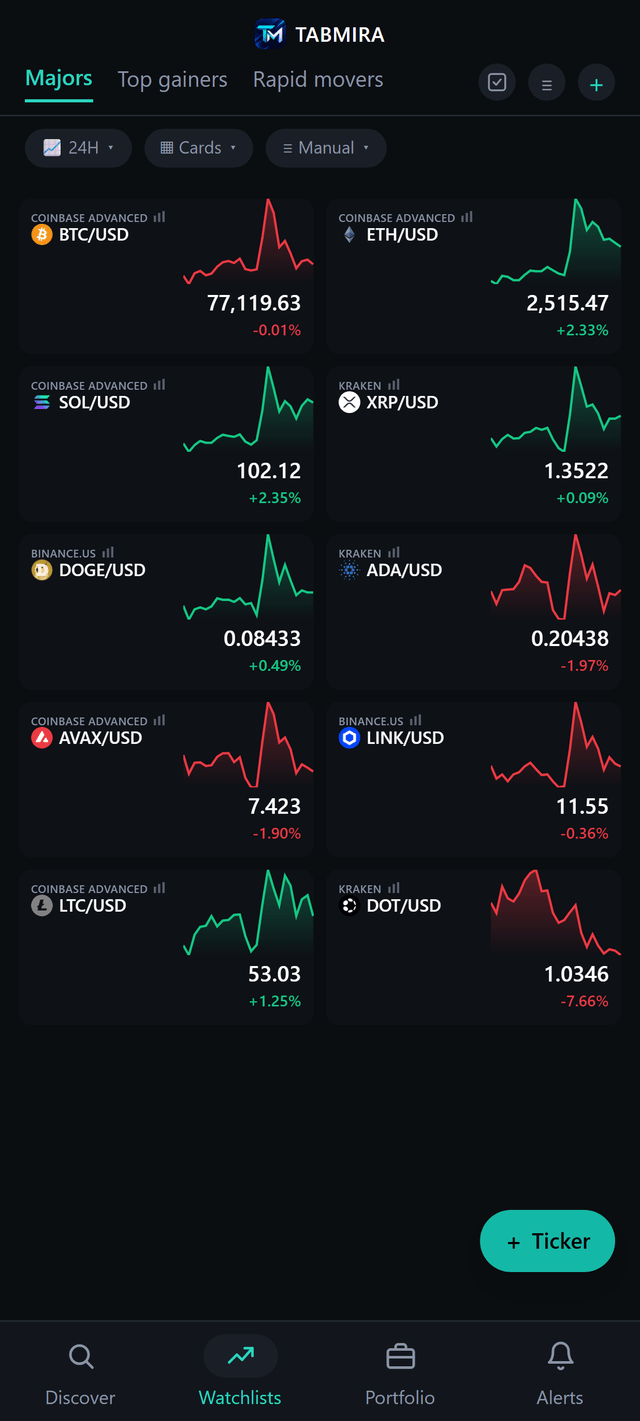
In TabMira a watchlist mixes pairs from any of 80 exchanges: BTC/USD on Coinbase next to BTC/USDT perps on Bybit next to a KuCoin small cap, spot and futures side by side, each with a live price, 24h change and a sparkline. Search a symbol in Discover and you see it on every exchange that trades it, so building a cross-exchange list takes a minute. There is no cap on lists or on pairs per list. Lists sort by change, volume or price, and the sort settles rather than jumping every tick.
Charts
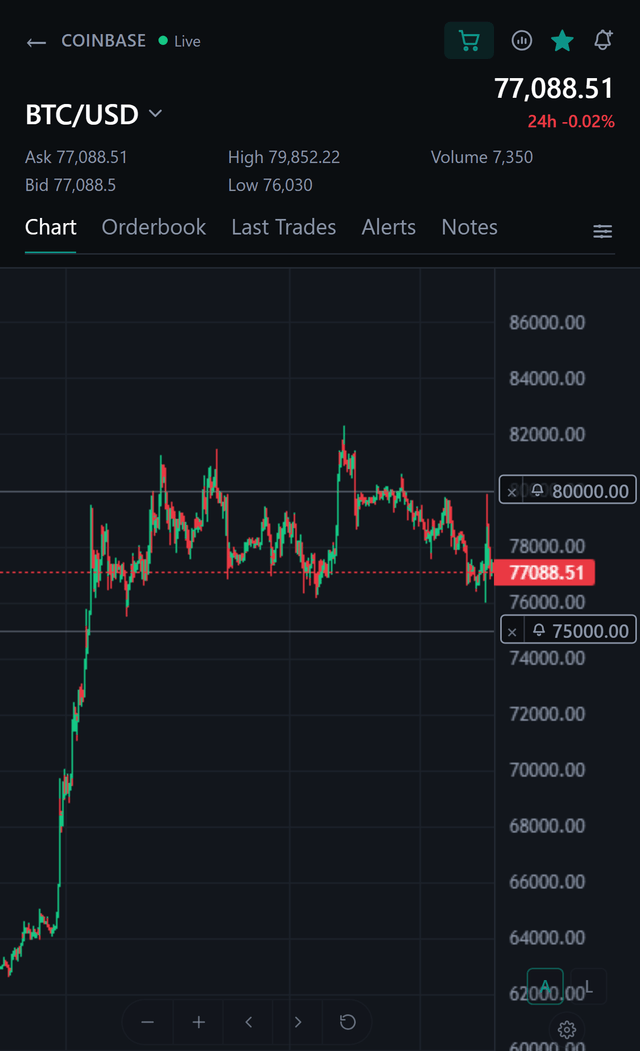
Tap any pair for a full chart with the exchange's own order book depth and live trade tape beside it. Indicators: EMA, SMA, Bollinger Bands, RSI, MACD, Choppiness and volume profile, as many as you want on one chart, with your own lengths and colours, shared across every chart or pinned to one. Trendlines, zones, levels, Fibonacci and text notes save on the pair you drew them on. Timeframes run from one minute to one month plus custom intervals. The chart engine is written for phones: it runs at the screen's refresh rate and pans and pinches without stutter, which was the thing TabTrader users say they cannot find elsewhere.
Alerts
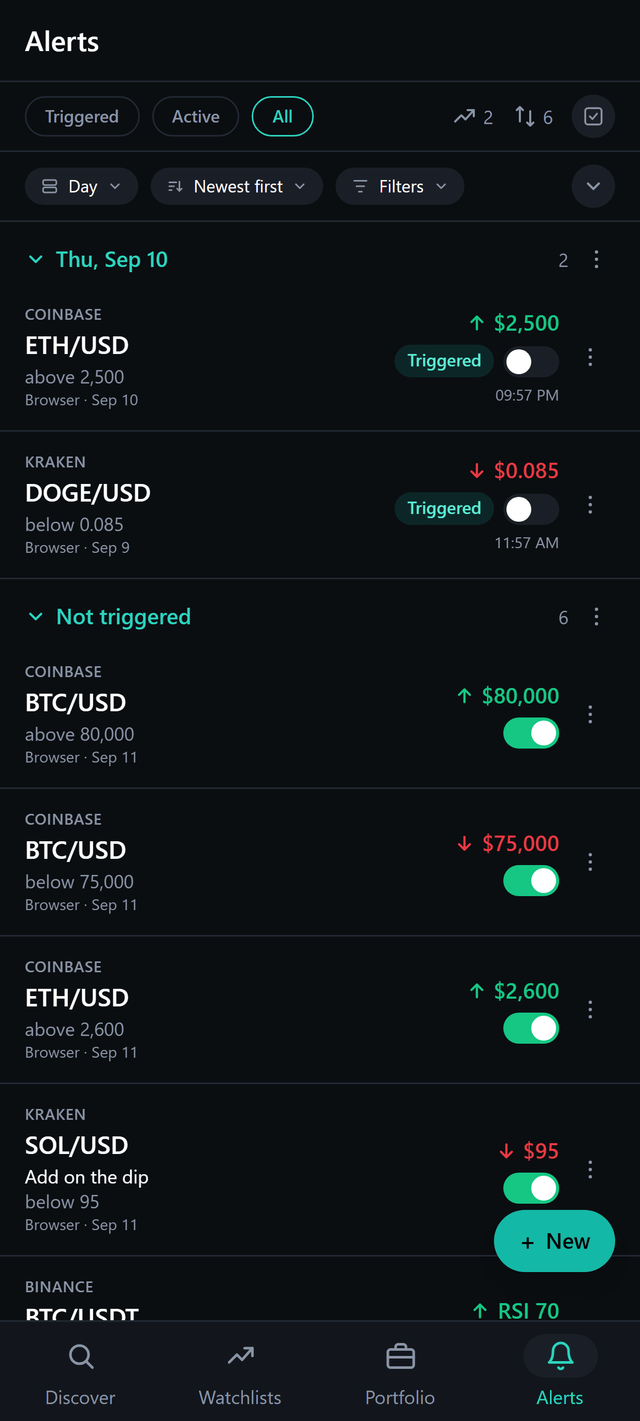
Price alerts, percent moves over a window, RSI crossing a level and alerts at a set time, on any pair on any exchange, up to 1,000 running at once. They fire as push notifications on the web, in the Android app and on iPhone. An alert level sits on the chart's price scale, and you can hold it and drag it to a new price. Alerts are the one thing that lives on a server, because a phone in your pocket cannot watch the market; they follow an optional sign-in so a second device gets the same ones.
Accounts
Connect exchange accounts with an API key and the Portfolio tab shows them together: one ring of how your money is split across coins, the total and today's move, and each account's balances underneath. The tab locks behind a passcode, fingerprint or Face ID. Keys are encrypted on your device and never sent to TabMira servers, which is the part that matters now: when TabTrader closed, every key it held closed with it, and nobody outside the company can say what happened to them. The security page shows the code that handles keys.
Trading
Trading works on Coinbase Advanced and Binance, and on 22 more exchanges in beta, among them Kraken, Bybit, OKX, Binance.US, Bitget, KuCoin, Gate.io, MEXC, HTX and Bitfinex. Open orders and fills show next to the chart, the ticket places limit and market orders, and every order is a line on the chart you can drag. Binance testnet is supported for practice, and so are the demo accounts of OKX and Bybit.
Beta means the order code is written and tested but no real order had gone through it when it shipped, and the app labels it so: start small. Some exchanges refuse trading from a web page. KuCoin and Bitunix trade only in the Android and iPhone apps, and a few others, Kraken and MEXC among them, need a small relay in your own Cloudflare account when you trade from a browser. Which exchanges trade, and how.
Markets
The Discover screen scans every market on every one of the 80 exchanges: top gainers and losers, volume leaders and rapid movers, spot and futures, with one search across all of them. You can turn any of those boards into a watchlist that updates itself, so a list of today's top gainers on Binance and Bybit rotates on its own as the market moves.
Price
Free. There is no PRO tier, no ads, no watchlist cap, no alert cap and no indicator cap that a subscription would lift. You do not need an account: watchlists, layouts, drawings and settings stay on your device, and signing in with Google or an email link is only there to carry alerts and settings to another device.
TabTrader vs TabMira side by side
| Feature | TabTrader | TabMira |
|---|---|---|
| Status | Shut down 21 August 2026 | Live, in active development |
| Price | Free with ads, or PRO subscription | Free, no ads, no tiers |
| Account | Required for sync and PRO | None needed; optional sign-in syncs alerts |
| Exchanges | A few dozen | 80, spot and futures |
| Watchlists | Capped on the free tier | Unlimited, mixing any exchange |
| Alerts | Capped on the free tier | Up to 1,000 at once |
| Alert types | Price | Price, percent move, RSI, time |
| Indicators per chart | Capped on the free tier | No cap |
| Order book and trade tape | Yes | Yes, live |
| Market screener | Yes | Discover: gainers, losers, volume, rapid movers |
| Trading | Many exchanges via API key | Coinbase Advanced and Binance, plus 22 more in beta, via API key |
| API key storage | On TabTrader servers | Encrypted on your device, or your own Cloudflare relay |
| Platforms | Android, iOS, web | Web, Android, iPhone (Add to Home Screen) |
TabTrader's column describes the app as it stood at the shutdown. Its free-tier limits changed several times and can no longer be checked, so they are not quoted as numbers.
Moving over from TabTrader
- Revoke the API keys you gave TabTrader. Sign in to each exchange, open its API management page and delete any key named TabTrader. The app is gone but the keys are not, and a key you cannot see being used is a key to remove.
- Open tabmira.com or install the Android app. On iPhone, open the site in Safari and choose Add to Home Screen; alerts and the full chart work from there.
- Rebuild your watchlists. Search each symbol once in Discover, tap the exchanges you want it from and it is added. A mixed list of thirty pairs takes a few minutes.
- Set your alerts again. Hold a finger on any chart to drop an alert line at that price and drag it where you want it, or use the Alerts tab. Sign in with Google or an email link if you want them on a second device.
- Make new API keys for the exchanges you want in the Portfolio tab. TabMira refuses any key that can withdraw, so make it without that permission.
Other TabTrader alternatives
TabMira is not the only option, and it is not the best one for everybody. If your main need was charting, TradingView has the deepest charts and drawing tools of anything, with a free tier that limits indicators per chart and alerts; it is heavier than TabTrader was and it is a charting site with exchange links rather than a terminal. Good Crypto (goodcryptoX), once the closest thing to TabTrader's trading side, closed on 9 October 2026 and sent its users to WunderTrading, which runs trading bots on many exchanges on a subscription. Cryptowatch, which once showed many exchanges on one screen, closed in 2023, and Kraken, which owned it, now offers only its own markets in its place. Coinigy is a web-first terminal for desktop traders with a paid plan. Each exchange's own app remains the fastest way to trade that one exchange. TabMira is the pick if what you want is what TabTrader's free tier promised and did not quite deliver: a fast, light terminal across a lot of exchanges, with alerts that fire, no ads and no subscription. How TabMira compares with TradingView.
Questions
Is TabTrader coming back?
There is no sign of it. The website, the apps and the company social accounts were all taken down on 21 August 2026, and no statement has followed. Paid subscribers were emailed about two hours before the shutdown and offered refunds.
Can I import my TabTrader watchlists and alerts into TabMira?
No. TabTrader never offered an export, and its servers are gone, so there is nothing to import from. Watchlists in TabMira are quick to rebuild: search a symbol once and it lists that pair on every exchange that trades it, so a mixed list takes a minute or two.
Is TabMira really free?
Yes. Everything in it is free: charts, watchlists, alerts, Discover, portfolio and trading. There is no PRO tier, no ads and no limit that a subscription would lift.
Does TabMira have a web version?
Yes, and it is the main one. tabmira.com works in any modern browser, on a phone or a desktop. There is also an Android app on Google Play, and on iPhone it installs from Safari with Add to Home Screen.
Which exchanges does TabMira support?
Coinbase, Binance, Kraken, Bybit, KuCoin, OKX, MEXC, Crypto.com, Gate, Bitget, HTX, Hyperliquid and 68 more, 80 in all, spot and futures. The full list is at tabmira.com/exchanges.
What should I do about the API keys I gave TabTrader?
Delete them from the exchange side. Sign in to each exchange, open its API settings and remove any key labelled TabTrader. The app that used them is gone, but a key stays valid until you revoke it.
Where do my API keys go in TabMira?
A key you add is encrypted on your device and used from there to talk to the exchange. It is never sent to TabMira servers. The connect screen refuses any key that can withdraw funds. The security page shows the code that handles keys.